CLI flags
Launching Pelton with flags
On Modern Windows1 there are two ways to launch Pelton with (a) flag(s):
Option 1:
Right-click the shortcut and click on 'properties'. At the end of the path append your desired flag, e. g.
--debug.
Option 2:
Open the folder where Pelton is installed. Then go into the top bar where it lists the Path and in the Box click on an empty space, type
cmd, then press ++enter**. Then typepelton.exe --<your flag>. Use Tab to autocomplete the filename.
Note
Below, you'll find commands written as plain pelton --flag, that's
the Linux form. On Windows, use pelton.exe --flag instead (Option 2
above).
- Open the terminal using Cmd+Space.
- Type
cd /Applicationsto go to your Applications folder. This could be different but this is the default. - Use
Pelton.app/Contents/MacOS/Pelton --<your flag>to run Pelton.
Note
Below, you'll find commands written as plain pelton --flag, that's
the Linux form. On macOS, use
Pelton.app/Contents/MacOS/Pelton --flag instead, as shown above.
Installing through Copr/Dnf, .deb or .rpm puts a pelton command on your PATH. Open a
terminal and run:
The raw binary isn't on your PATH by default, so run it from wherever you
downloaded it:
See Generic binary if you haven't made it executable yet.
Flags
| Flag | What it does |
|---|---|
--debug |
Forces file logging on at debug level, regardless of what Settings say. Useful when the app doesn't start far enough to reach Settings. |
--potatoes-are-nice |
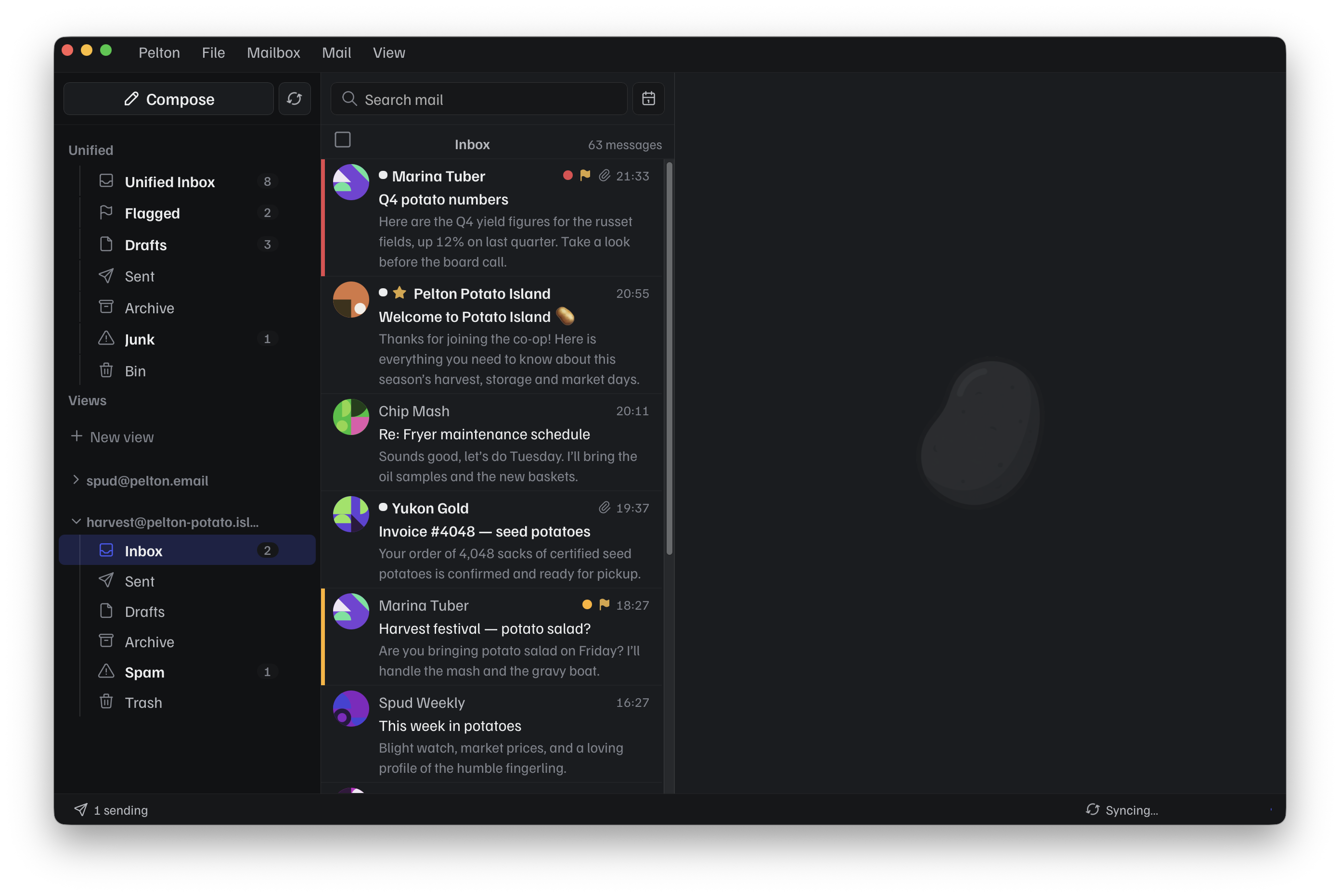
Launches a purely cosmetic demo mode: the UI fills with fixed potato-themed sample data instead of your real accounts and mail. Nothing else changes, and nothing real is touched. Used for taking screenshots. |
--debug
Debug can be useful if you can't access the settings to turn on logging. For example when Pelton crashes instantly, and you can't access settings to turn on logging.
--potatoes-are-nice
Using for Theme previews
The --potatoes-are-nice can be used to showcase themes.
Most screenshots on the website and docs are done in this mode.
It's also commonly referred to as „demo mode“.
Bug
Demo mode is still a bit buggy so your emails show up first, just click into an Inbox/Folder and you'll get the actual demo mailbox. Issue: #378
Demo Mode does not override your e-mails. It's purely cosmetic.
How do I exit Demo Mode?
Quit Pelton completely, just closing the window isn't always enough.
Right-click the tray icon and choose quit/close, or end Pelton from the Task Manager. Depending on your settings, closing the window may already quit Pelton fully.
Press Cmd+Q while the window is focused. This always quits Pelton fully.
Whether there's a tray icon at all depends on your desktop environment:
GNOME doesn't show tray icons without an extension like
AppIndicator and KStatusNotifierItem
Support.
Without one, just close the window, or end the pelton
process from a terminal or the System Monitor app.
Right-click the tray icon and choose quit. If Pelton isn't in
the tray, close the window, or end the pelton process from a
terminal or KSysGuard.
There's usually no tray unless you're running one (e.g.
waybar with a tray module). Close the window, or end the
pelton process from a terminal:
Launch arguments
Pelton also accepts a mailto: URL as a launch argument, this is how a
mailto: link elsewhere on your system opens a compose window in Pelton
with the address prefilled:
pelton "mailto:[email protected]"
Environment variables
| Variable | What it does |
|---|---|
PELTON_DEBUG |
Same as --debug: forces file logging on at debug level. |
PELTON_DEV |
Points Pelton at an isolated config/database directory instead of your real one. Set by make run for local development; see Build from source. Not something you'd normally set on a regular install. |
PELTON_DEVTOOLS |
Turns on the developer overlays in a packaged build. PELTON_DEV turns them on as well; this is for getting them without the rest of what PELTON_DEV does. It does not enable the browser inspector, which is fixed when the binary is built. |
Need help?
See Support.
-
Windows 10 or newer. ↩