Updating Pelton
Pelton doesn't auto-download or auto-install updates on any platform. It can optionally check GitHub for a newer release and tell you about it, but actually updating is always a manual step, and how you do it depends on how you installed Pelton.
- Checking for updates in-app
- macOS
- Windows
- Fedora (Copr)
- Arch (AUR)
- Debian/Ubuntu (.deb) and generic RPM
- Generic binary
- Nix
Checking for updates in-app
Open Settings and go to About. There you can:
- Pick how often Pelton checks for a new release: Off (default), Every start, Weekly, or Monthly.
- Click Check now to check immediately.
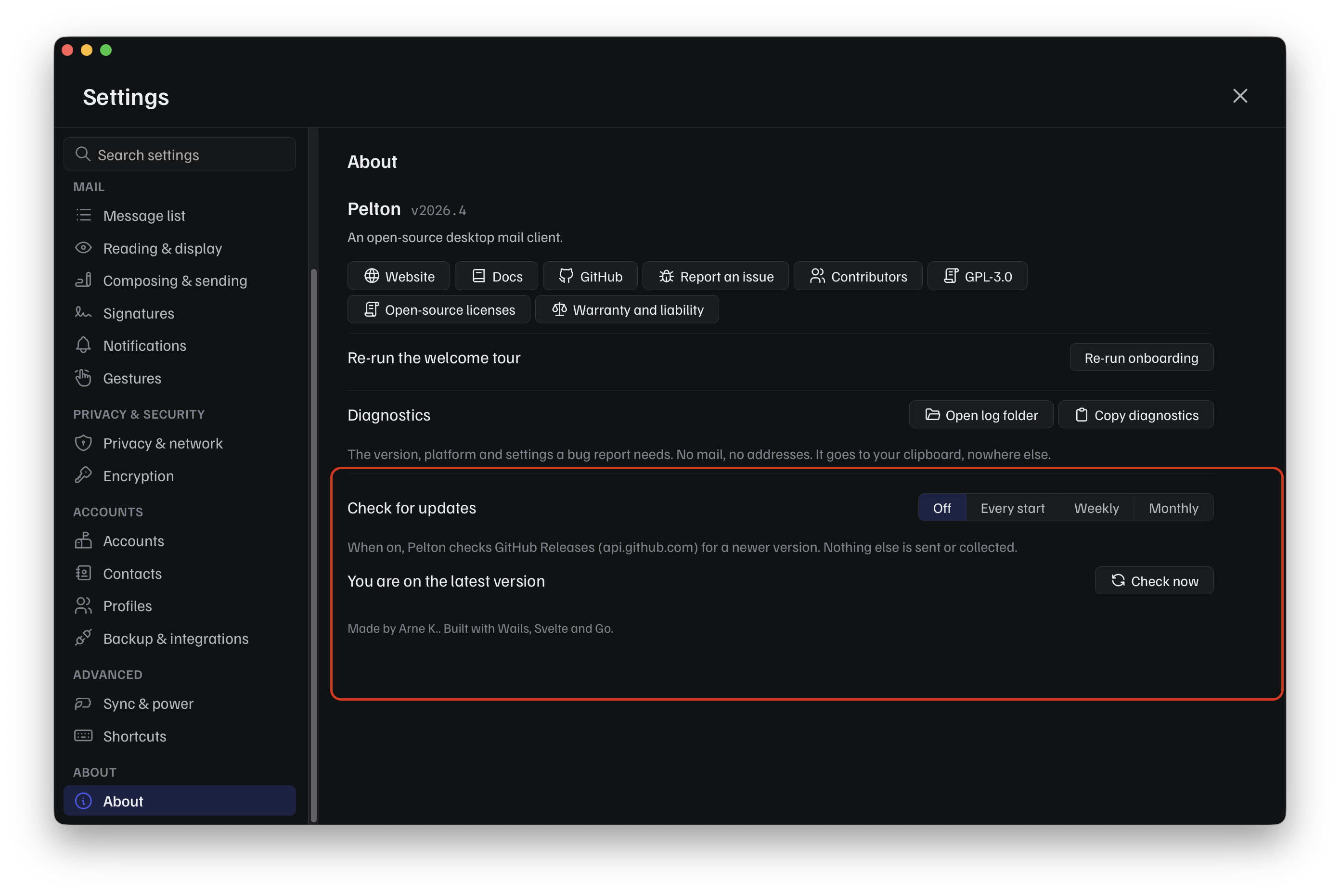
Pelton only ever talks to GitHub Releases (api.github.com) for this, and
only when a check runs, nothing else is sent or collected. If a newer
release exists, Pelton shows a View release link to the release on
GitHub, that's it. It doesn't download or install anything for you; use the
platform instructions below to actually update.
macOS
Download the newer .dmg from
pelton.app/download or
GitHub Releases and
drag it over the existing app in Applications, the same as a first install.
See Install on macOS for the full walkthrough, including
verifying the checksum and getting past Gatekeeper again.
Windows
Download and run the newer installer from pelton.app/download or GitHub Releases. It installs over the existing version. See Install on Windows for the full walkthrough.
If you use the portable .exe instead, download the newer
Pelton-<VERSION>-windows-amd64-portable.exe and replace the old file with
it. There is nothing to uninstall first. Your mail and settings live in
%APPDATA%\Pelton rather than next to the executable, so replacing the file
leaves them alone.
Fedora (Copr)
If you enabled the Copr repo, Pelton updates like any other package:
This updates your whole system, not just Pelton
sudo dnf upgrade updates every package on your system. To update only
Pelton and leave everything else alone, name it specifically:
Arch (AUR)
Update through your AUR helper as usual:
This updates your whole system, not just Pelton
Like dnf upgrade, yay -Syu updates every package on your system. To
update only pelton-bin, name it specifically instead:
pelton-bin on the AUR is maintained by a third party
(leeteral), not built directly from Pelton's release
pipeline, so it can lag behind a brand new release while the package gets
bumped, usually by just a few hours. You can check its current status on
Repology, which tracks
Pelton's packaging across distros and package managers.
Debian/Ubuntu (.deb) and generic RPM
There's no repo to pull updates from. Download the newer .deb or .rpm
from pelton.app/download or
GitHub Releases,
verify its checksum, and install it the same way as the first time
(dpkg -i / rpm -i); it replaces the existing version. See
Install on Linux for the full steps.
Generic binary
Download the newer binary, verify its checksum, and replace the old one in
place (chmod +x it again if needed). See
Install on Linux for the full steps.
Nix
Re-run the same command you used to install, pointing at the new release tag:
This replaces the previous profile entry. Don't point it at the bare repo instead of a tag, that would track an unreleased, unpinned build rather than a specific version.
Need help?
See Support.