Reporting an issue
Bugs, feature requests, packaging problems, and translation issues are all tracked on GitHub Issues. Open a new one at github.com/peltonapp/Pelton/issues/new/choose and pick the template that fits:
- Bug report, something isn't working as expected.
- Feature request, an idea or improvement Pelton doesn't support today.
- Packaging / installation issue, trouble installing, updating, or
uninstalling Pelton (dnf, Copr, the Windows installer, the macOS
.dmg, and so on). - Localization issue, missing, incorrect, or untranslated text.
Picking a template keeps reports consistent and easier to act on.
Found a security vulnerability?
Don't open a public issue for it. See Support for how to report it privately instead.
Before you file a bug or packaging report
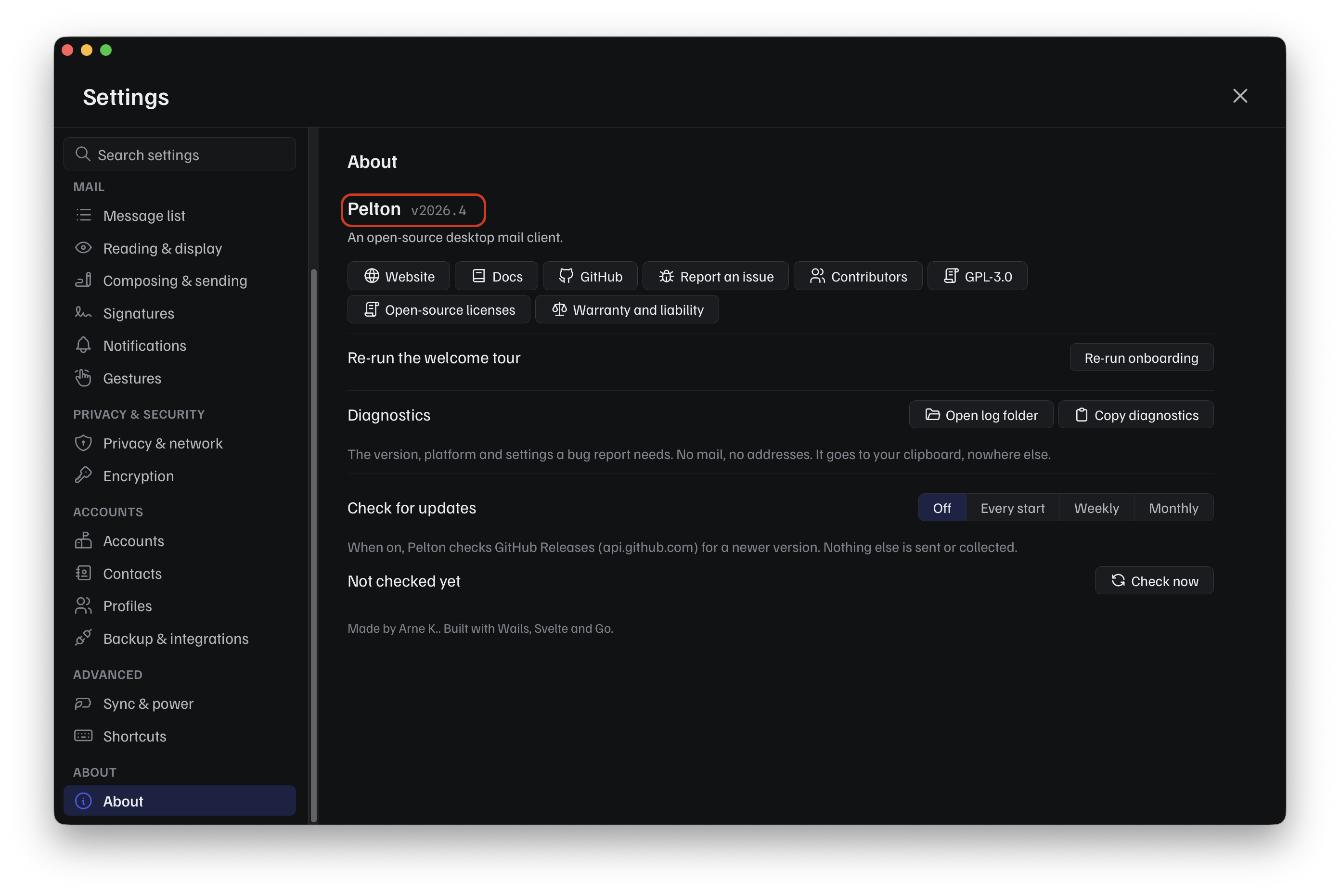
Both templates ask for your Pelton version, operating system, and how you installed it. Settings > About has all of that, right next to Report an issue:
Rather than copying each field by hand, use Diagnostics:
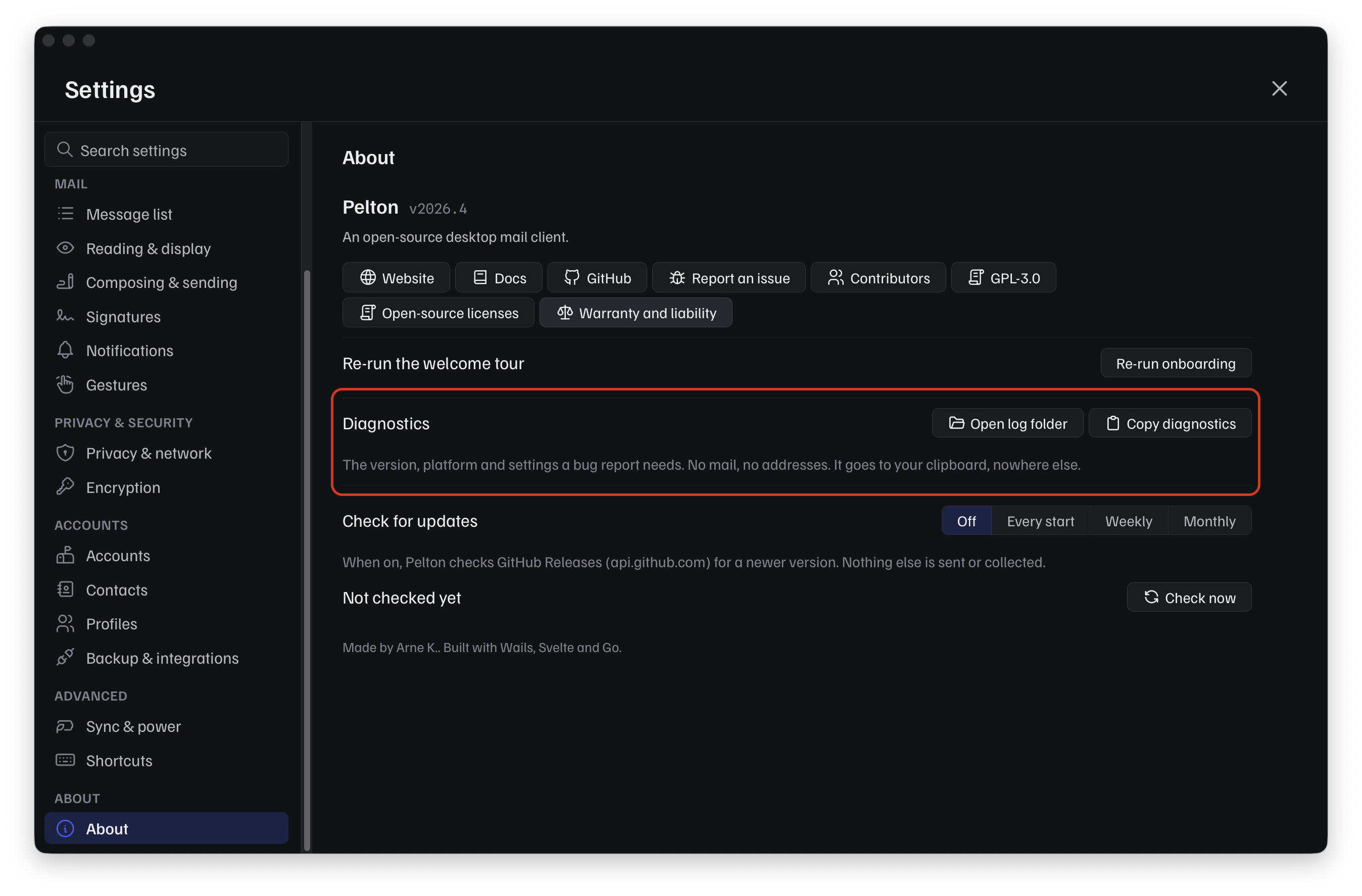
Click Copy diagnostics to copy your version, platform, and settings to the clipboard, no mail, no addresses, nothing else, and paste it straight into the issue.
If that isn't enough detail, Settings > Privacy & network has Logs and crash reports, both off by default and never uploaded anywhere on their own:
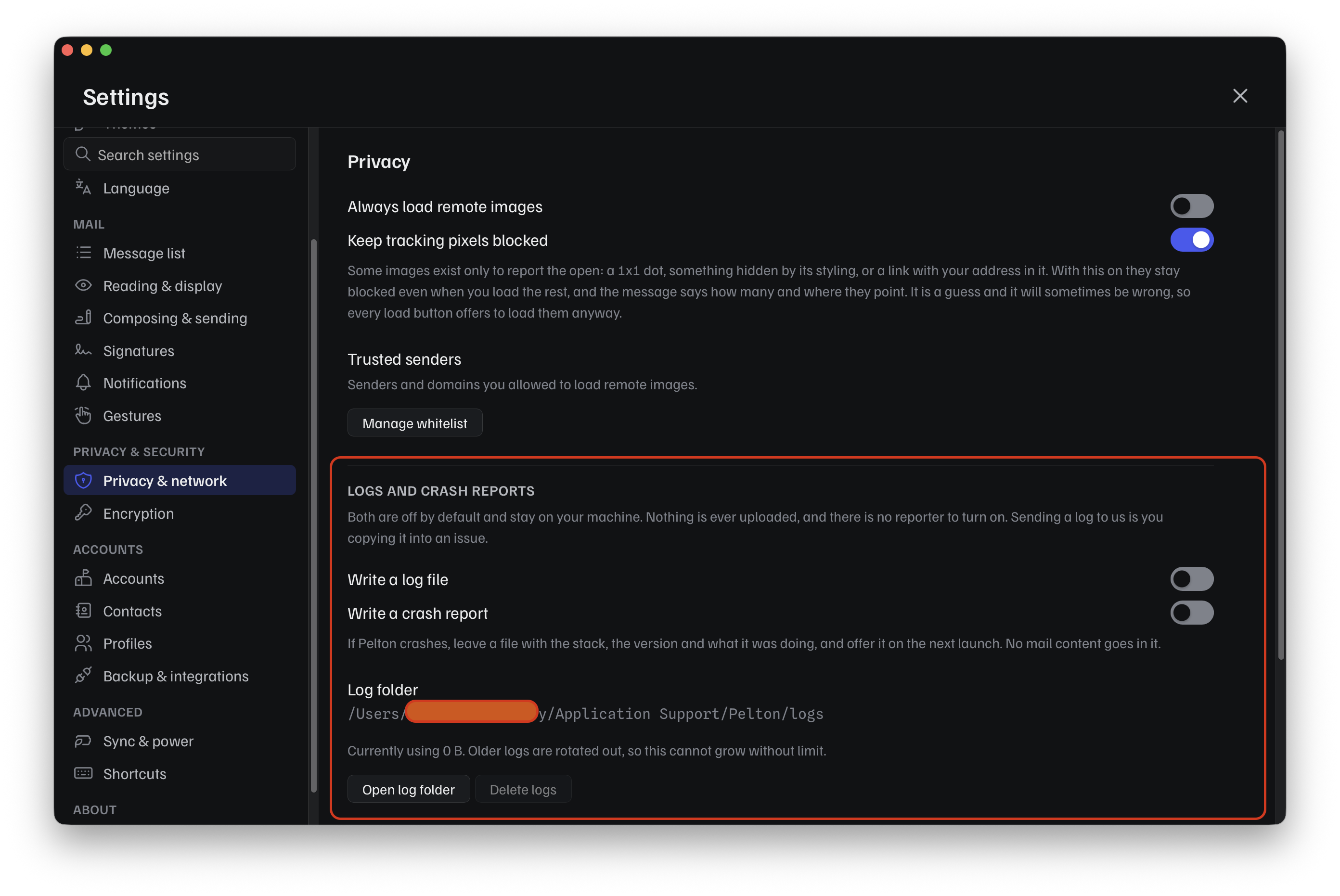
Turn on Write a log file, reproduce the problem, then use Open log folder to find the log and attach it to your issue yourself, sending a log to the team is you copying it in, Pelton never does this automatically.
Can't reach Settings? Use --debug
If Pelton crashes or won't get far enough to open Settings, launch it
with the --debug flag instead. It forces file logging
on at debug level regardless of what Settings say, so you still get a
log to attach:
If the problem is about updating specifically, Updating Pelton might already cover it before you need to file anything.
Need help?
See Support.